Get dtg
Either install the DSLToolsGen dotnet tool and then run as dtg,
OR run it directly using dnx (dnx DSLToolsGen)

.g4The provided ANTLR grammar can either be a combined grammar
(containing rules for both the lexer and the parser),
or be separated into a lexer grammar and a parser grammar that
references the lexer’s .tokens file via the tokenVocab grammar option.
The lexer rules are converted into a syntax highlighting grammar. The parser rules are used as the basis from which to infer the structure of the generated AST class hierarchy.
The configuration file uses JSON (with Comments, sometimes abbreviated as jsonc).
Use dtg init to generate it (along with a dtg.schema.json which allows editors
such as VS Code to offer basic validation, hover, and completion support).
See Configuration docs.
dtg CLIdtg init to create a dtg.json config file
dtg generate to run the configured generators (once)
or dtg watch, which automatically reruns the configured
generators once their inputs change
DTG passes the grammar to ANTLR4 which generates the lexer and parser.
The command to run ANTLR (e.g. java -jar ./antlr/antlr-4.13.1-complete.jar)
is specified in the configuration file (Parser.AntlrCommand).
#TODO
DTG generates a class hierarchy (in C#) for the abstract syntax tree.
It does this by analyzing the ANTLR grammar and creating a (record) class
for each parser rule. The generated classes are partial so that you can
add custom methods, properties, etc.
DTG also generates an AstBuilder class that constructs an AST from
an ANTLR parse tree.
var antlrParseTree = parser.xyzFile();var ast = new AstBuilder().VisitXyzFile(antlrParseTree);After getting the AST of the document, you can perform any additional analysis on it, e.g. name binding (resolving references), type checking and other types of semantic validation, or even rendering a visual preview or alternative representation of the document to be displayed in a side view, etc.
The results can either be:
partial, you can add custom properties (and methods) to themDTG generates a lot of the boilerplate (in C#) needed to implement
an LSP server for the language.
For dealing with the protocol itself, the generated code depends on the
OmniSharp.Extensions.LanguageServer
library.
AnalyzeDocument overrideBasicCodeCompletionHandler base classBasicSemanticTokensHandler base classBasicHoverHandler base classDon’t forget to register custom handlers using .WithHandler<T>() in RunAsync.
DTG analyzes the provided ANTLR4 (lexer) grammar and generates a corresponding
TextMate grammar (.tmLanguage.json) for syntax highlighting in VS Code and other editors.
You can configure how to highlight a specific token,
which TextMate scopes to use, etc.
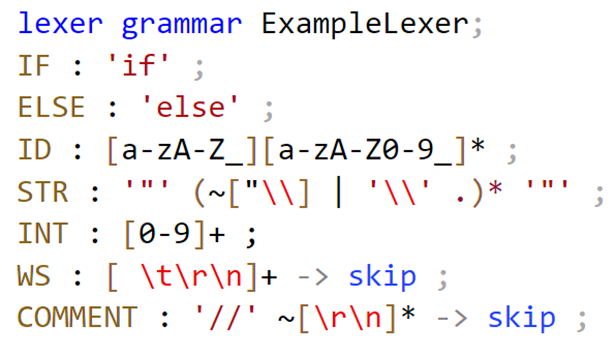
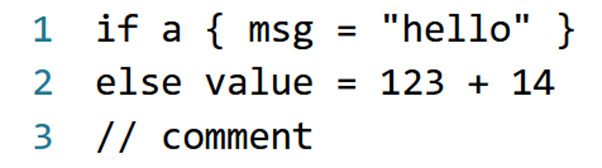
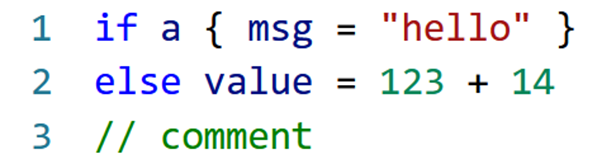
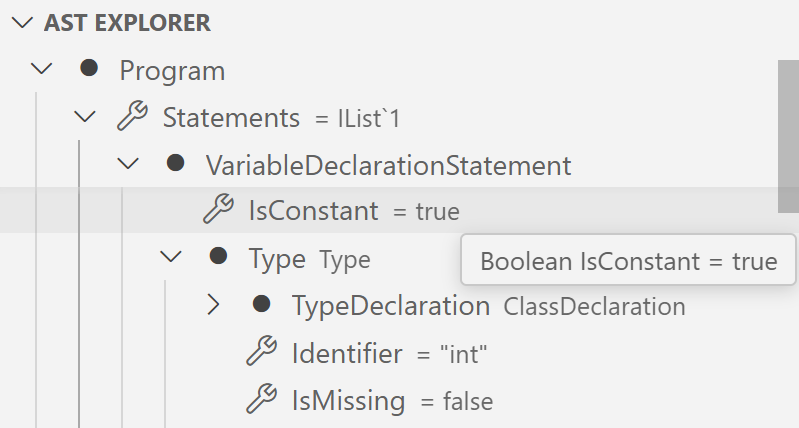
The generated VSCode extension can also (optionally) include a treeview for inspecting the AST of the currently opened document. Each AST node shows its children as well as other properties.
DTG can generate the complete source code for a VSCode extension that uses the generated TextMate grammar for syntax highlighting and provides integration with the language server.
This (sub)generator is meant to be run only once, i.e. to quickly get an extension working with the DTG-generated language server code. After that, you can edit any part of the extension, e.g. to handle any non-standard/custom LSP requests and notifications.